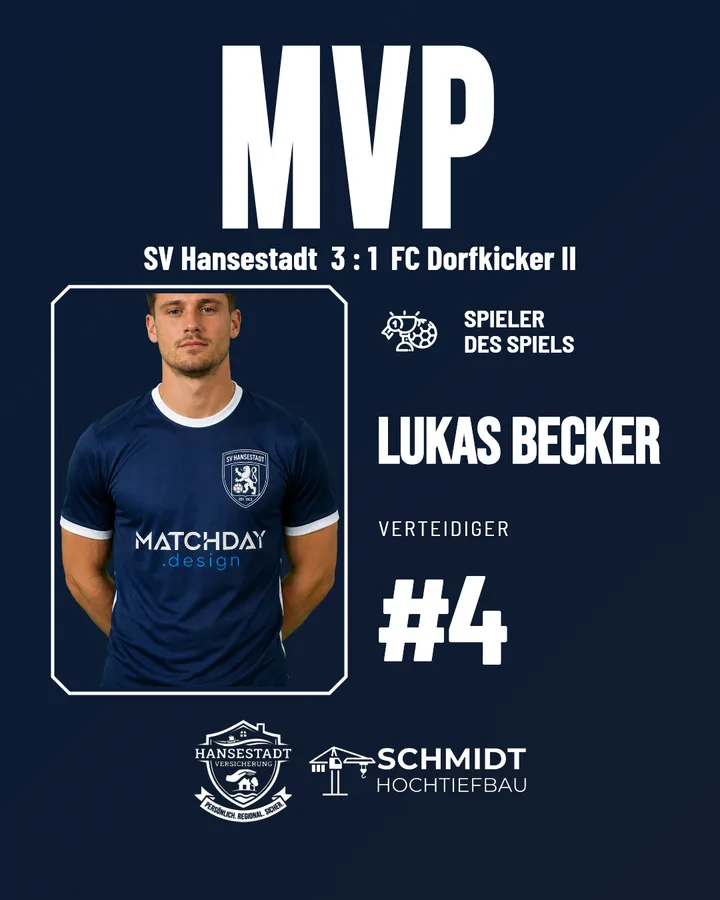
Result posts reach your followers. A "Player of the Match" reaches their friends: the player shares it in their story, the family passes it on, and suddenly people who don't follow you are seeing your club. Few posts in grassroots football bring in new reach so reliably.
What belongs on the graphic
- A good photo – ideally cut out, so it sits against the club design rather than a sports hall wall.
- Name, number and position – big enough to be read while scrolling.
- The result and the opponent – so the post still makes sense three weeks from now.
- Your sponsors – the MVP post is an ideal spot for a main sponsor ("presented by …").
Who becomes Player of the Match?
It doesn't have to be the goalscorer. Good criteria are:
- The performance that decided the match – even a save or a tackle in stoppage time.
- Variety – over the season, it shouldn't always be the same three players who get picked.
- The fans – a vote via Instagram story involves your followers. The club then posts the result.
How it works with Matchday
- Add player photos to the squad once. With the cut-out feature, Matchday removes the background automatically.
- After the match, choose the "Player of the Match" template, then select the match and the player.
- Photo, name, number, position and result are filled in by Matchday – as a post and story in your club design.
It works without a photo too: the template then shows its placeholder, and the name still appears large in the image.
Tip: tag the player
Tag the player in the image and in the caption. When they share the post, it lands in their circle of friends – and that's exactly why this post works so well.
You'll find examples and more variations in the Player of the Match templates and in the overview of all Instagram templates for football clubs.