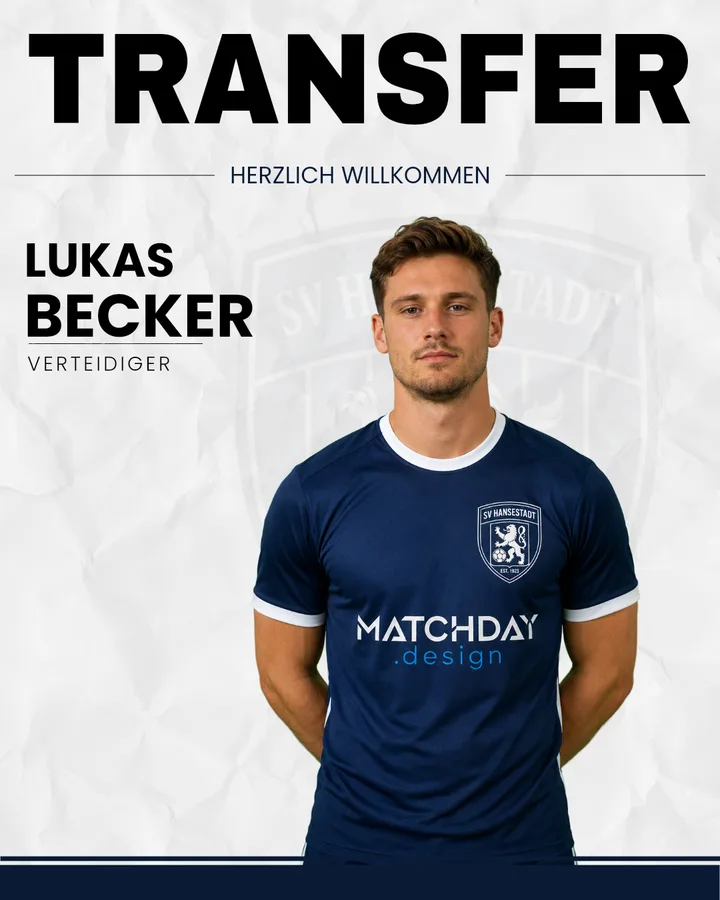
During the break there are no results, no line-up, no league table. What there is: new signings. Pro clubs have turned them into a category of their own – "Here we go", "Welcome", "New in the squad". It works just the same in grassroots football, often even better: here, people know the players personally.
What belongs on a transfer graphic
- One large photo of the player – ideally cut out and in the club kit.
- Name and position – easy to read, no frills.
- One line of context: "Welcome", "New in the squad", the player's previous club.
- Crest and club colours, so the post clearly belongs to you.
Turning transfers into a series
Posting a single new signing is good. A series is better:
- One player per day keeps the excitement going for a whole week.
- Always the same template – so followers recognise the series straight away.
- A wrap-up post with all the new signings for the first day of pre-season training.
This fills the match-free time with content your followers actually respond to.
How it works with Matchday
- Choose a transfer template – set up once in your club design.
- Select a player or add a new one. A new signing often isn't in the squad yet: you add him directly when creating the graphic, with or without a photo.
- Download and post – as a post for the feed and as a story for the day of the announcement.
The new player is added to the squad right away and is ready for line-ups and "Player of the Match".
You can find more examples in the transfer templates and in the overview of all Instagram templates for football clubs.