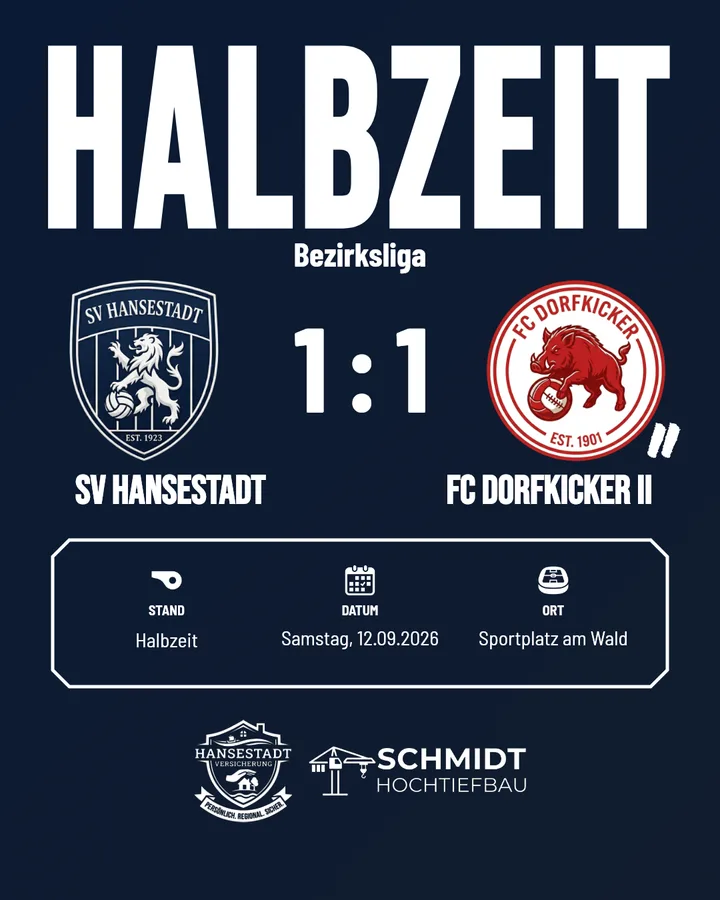
The half-time whistle is the moment when parents, fans and the second team's players all check their phones: What's the score? Post the half-time update right then and you catch that attention, and keep your followers with you until the final whistle.
The problem: the break lasts 15 minutes. Nobody standing by the pitch can build a graphic by hand in that time. With a ready-made half-time template, it takes half a minute.
What belongs on a half-time graphic
- Half-time score – big and instantly readable.
- Both crests – home on the left, away on the right.
- Competition, date and venue – small, for context.
- Your sponsors – half-time is advertising space too.
Nothing more. A half-time graphic is a quick update, not a match report. Goalscorers and details belong in the result post after the final whistle.
How it works with Matchday
- Before the match: The half-time template is set up once in your club design – Matchday automatically applies your crest, colours and sponsors.
- At the break: Choose the match and enter the half-time score. Date, opponent and venue are already in the match.
- Share: Download it as a story or post and publish it straight to Instagram.
If you like, Matchday saves the half-time score to the match, so it also appears later in the result post.
Post or story?
For half-time, we recommend the story. It disappears after 24 hours, doesn't clutter the feed and reaches exactly the people who are following along right now. Save the feed for the line-up and the final score.
Every template is available in both formats – you decide which one goes out when you create it.
Three tips for more reach at the break
- Post straight away, not just before the restart. Most people check their phones in the first five minutes of the break.
- Keep it looking the same. If every half-time graphic has the same layout, followers will recognise it immediately in their stories feed.
- Combine it with a sticker, such as a poll: "Who will win?". Interaction on a story helps push your next story further up the queue.
You'll find more examples in the half-time templates and in the overview of all Instagram templates for football clubs.